Webhook Sandbox
The webhook sandbox lets you send test webhook events to your configured endpoint directly from the self-service portal. Use it to verify your integration is working correctly before going live.
Why use the sandbox:
- Validate that your endpoint receives and processes CarvOS webhooks correctly.
- Test signature verification with real HMAC-SHA256 signatures.
- Inspect sample payloads for each event type without affecting production data.
Test vs. production webhooks: Test webhooks include an X-CarvOS-Test: true
header so your receiver can distinguish them from production events. In all other
respects -- payload structure, HMAC signatures, and headers -- test webhooks are
identical to production webhooks. The reference_id field and the
X-Carv-Causation-ID header behave identically in sandbox and production, so you
can rely on the same correlation flow when debugging sandbox deliveries.
Prerequisites
Before using the sandbox, make sure you have:
- A webhook URL configured in the self-service portal.
- An endpoint that accepts POST requests with a JSON body.
- An HTTPS endpoint -- CarvOS does not deliver webhooks over plain HTTP.
Sending a Test Event
-
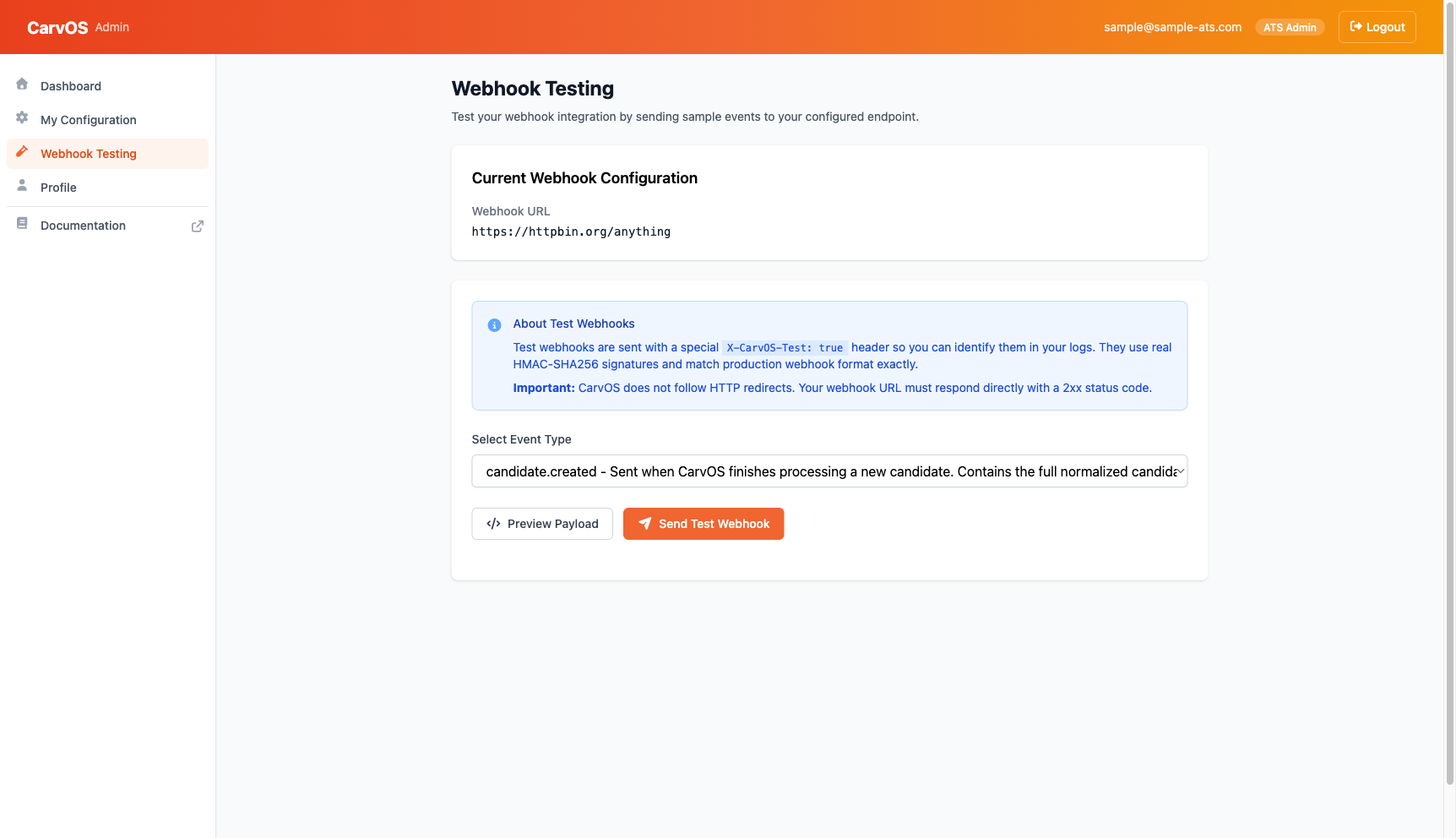
Sign in to the self-service portal and navigate to Webhook Testing in the sidebar.
-
Select an event type from the dropdown. Each option includes a brief description of when CarvOS sends that event. A realistic sample payload is loaded into the editor automatically.
-
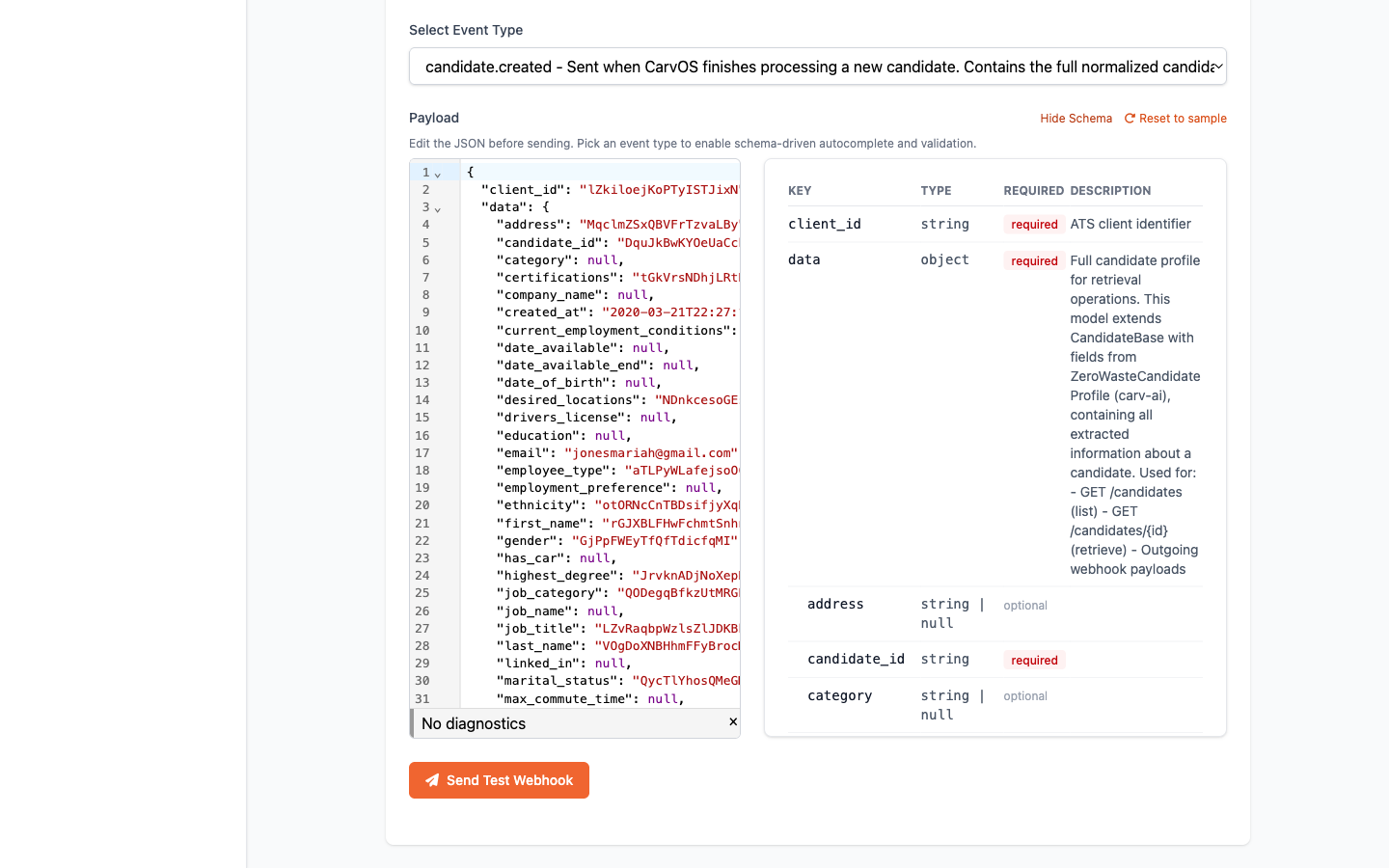
Edit the JSON in place if you want to send a custom payload. The editor offers schema-driven autocomplete (
Ctrl/⌘+Space), inline lint diagnostics, and hover tooltips describing each field. Click Reset to sample at any time to restore the auto-generated payload for the selected event. -
Open the schema reference with View Schema to inspect the expected fields, types, and required markers alongside the editor. On wide screens the schema docks as a side panel; on narrower screens it opens as a modal overlay.
- Click Send Test Webhook and confirm when prompted. CarvOS signs the payload, delivers it to your configured URL, and displays the result.
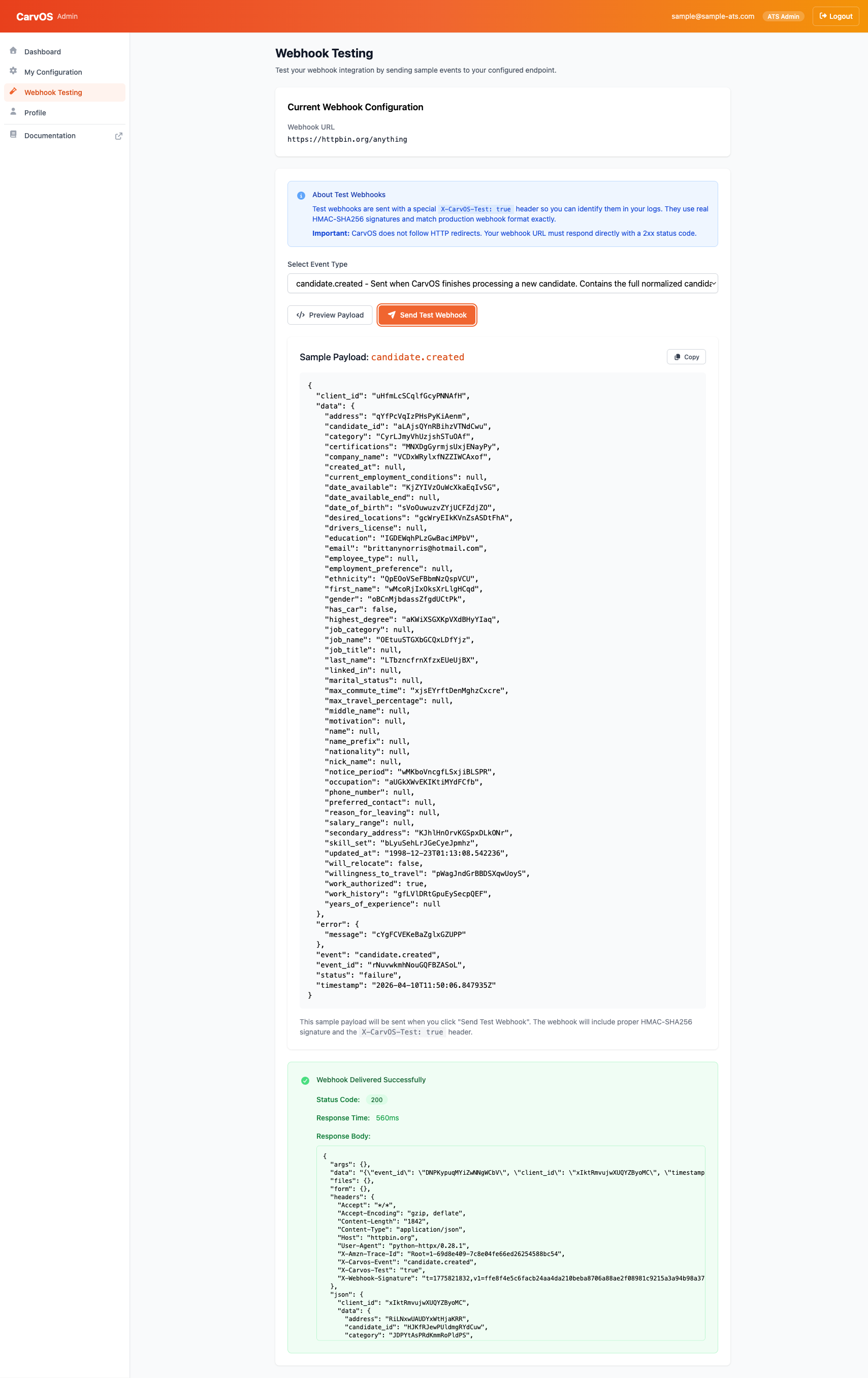
The result panel shows:
- Status Code -- The HTTP status code returned by your endpoint.
- Response Time -- How long your endpoint took to respond.
- Response Body -- The body of your endpoint's response (truncated at 64 KB).
Note
Sample data is realistic but synthetic. It does not reflect actual candidate, application, or meeting data. Edits in the payload editor are sent verbatim — CarvOS signs whatever JSON you submit, so you can exercise edge cases (missing fields, unexpected types) against your receiver.
Understanding the Test Payload
Each test payload follows the standard CarvOS webhook envelope:
{
  "event": "candidate.created",
  "event_id": "unique-event-id",
  "reference_id": "019db49a-860b-74cb-8199-635ca3ad7f59",
  "client_id": "your-ats-id",
  "timestamp": "2025-01-15T10:30:00Z",
  "status": "success",
  "error": null,
  "data": {
    "candidate_id": "candidate-id",
    "first_name": "Jane",
    "last_name": "Smith",
    "emails": [
      { "type": "personal", "value": "jane@example.com" }
    ]
  }
}
Headers
Every test webhook includes these headers:
| Header | Example | Description |
|---|---|---|
X-CarvOS-Test |
true |
Identifies this as a test event. Not present on production webhooks. |
X-CarvOS-Event |
candidate.created |
The event type. |
X-Webhook-Signature |
t=1700000000,v1=abc123... |
HMAC-SHA256 signature for payload verification. |
X-Carv-Causation-ID |
019db49a-860b-74cb-8199-635ca3ad7f59 |
Correlation UUID (matches reference_id on the payload). See Outgoing Webhooks: X-Carv-Causation-ID. |
Content-Type |
application/json |
Payload content type. |
Verifying Signatures
Test webhooks are signed with your outgoing webhook secret -- the same secret used for production webhooks. This means you can validate signatures in the sandbox using the exact same verification logic you use in production.
Warning
Use your outgoing webhook secret to verify signatures on webhooks CarvOS sends to you. The incoming webhook secret is for a different purpose -- it signs webhooks you send to CarvOS.
The signature format is t={timestamp},v1={hash}, where the hash is computed as:
For a complete signature verification implementation with code examples, see How to Receive Webhooks.
URL Requirements
Your webhook endpoint must meet these requirements:
| Requirement | Details |
|---|---|
| HTTPS | Required. Plain HTTP URLs are rejected. |
| Publicly accessible | The endpoint must be reachable from the internet. Localhost and private network addresses are not supported. |
| No redirects | CarvOS does not follow HTTP redirects (3xx responses). Your URL must respond directly. |
| Response timeout | Your endpoint must respond within 3 seconds or the request times out. This is tighter than the 5-second production timeout -- the sandbox runs synchronously from the portal, so we surface a quicker failure to keep the UI responsive. |
| Response size | Response bodies larger than 64 KB are truncated in the sandbox results display. |
Troubleshooting
Endpoint unreachable
If the sandbox reports a connection error, verify that:
- Your webhook URL is correct and publicly accessible.
- Your server is running and accepting connections on the expected port.
- Any firewall or security group rules allow inbound HTTPS traffic.
Signature mismatch
If your endpoint rejects the signature:
- Confirm you are verifying with your outgoing webhook secret, not the incoming secret.
- Check that your verification builds the signed payload as
{timestamp}.{json_body}(the timestamp from thet=portion of the signature header, followed by a dot, followed by the raw request body). - Make sure you are using the raw request body bytes, not a re-serialized version.
Timeout
If the sandbox reports a timeout:
- Your endpoint must respond within 3 seconds in the sandbox (production webhooks allow 5 seconds; the sandbox is tighter to keep the portal UI responsive during synchronous test sends).
- Check for slow database queries, external API calls, or other blocking operations in your webhook handler.
- Consider processing the webhook asynchronously -- acknowledge receipt with a
200response immediately and handle the event in a background job.
Redirect (3xx response)
If your endpoint returns a 3xx status code:
- CarvOS does not follow redirects for security reasons.
- Update your webhook URL to point directly to the final endpoint, without relying on redirects.
Next Steps
-
How to Receive Webhooks
Set up a webhook receiver with signature verification.
-
Self-Service Portal
Manage your configuration, credentials, and webhook secrets.