Configuration
After signing in, you land on the My Configuration page. This page shows your current integration settings at a glance.
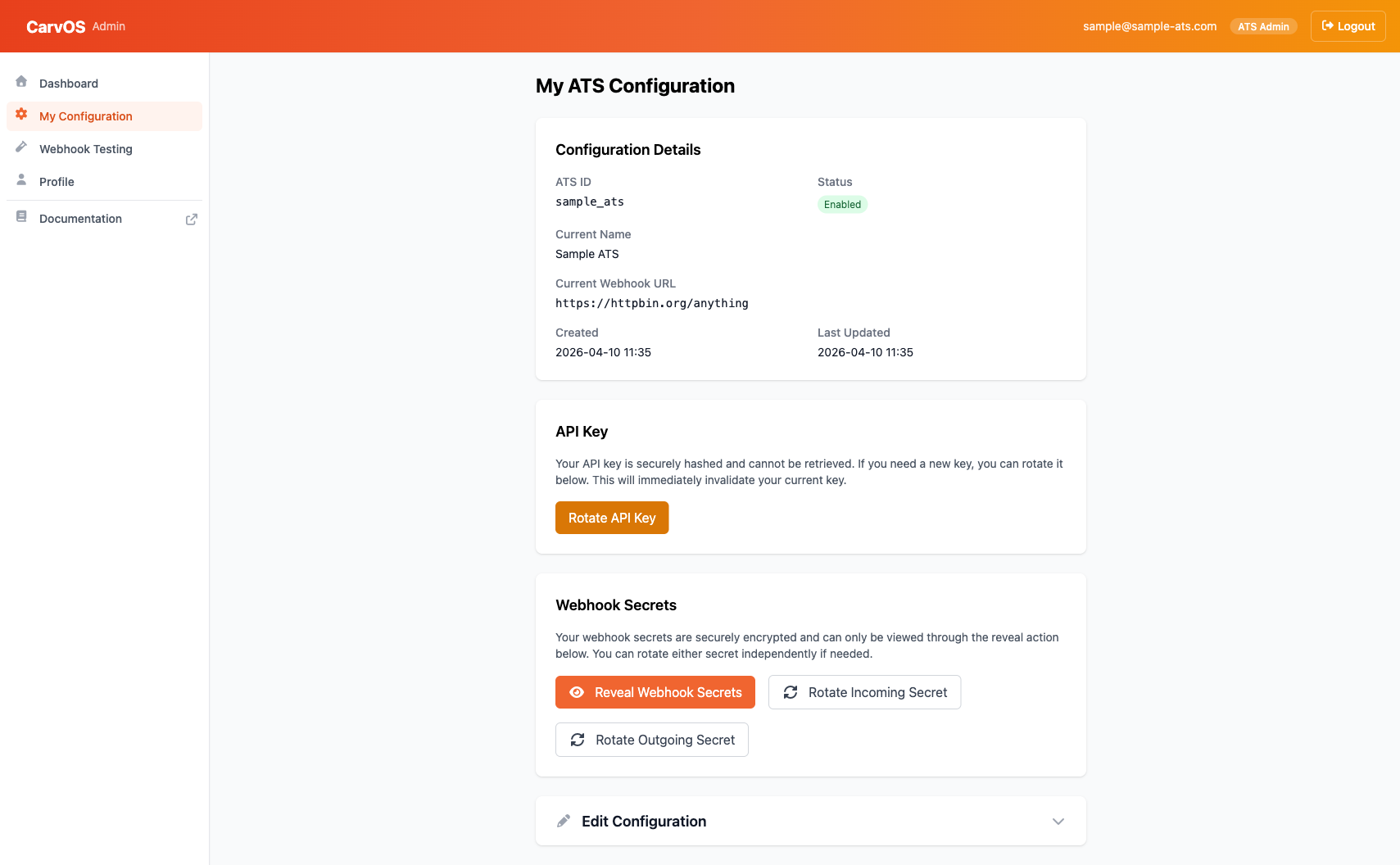
Configuration Details
The Configuration Details section displays read-only information about your ATS account:
| Field | Description |
|---|---|
| ATS ID | Your unique ATS identifier, set during onboarding. |
| Status | Whether your integration is currently enabled. |
| Current Name | Your display name. |
| Current Webhook URL | The endpoint where CarvOS delivers webhooks. |
| Created | When your configuration was first created. |
| Last Updated | When your configuration was last modified. |
Note
System fields like your ATS identifier and enabled status are set during onboarding. Contact Carv support if you need to change these.
Editing Configuration
To update your editable settings, click the Edit Configuration section at the bottom of the My Configuration page. You can change:
- Name -- Your display name within CarvOS.
- Webhook URL -- The HTTPS endpoint where CarvOS sends webhook events.
After making changes, click Save Changes to apply them.
Rotating Your API Key
Your API key authenticates requests to the CarvOS API. You may want to rotate it periodically as a security best practice, or immediately if you suspect it has been compromised.
To rotate your API key:
- On the My Configuration page, find the API Key section.
- Click Rotate API Key.
- Confirm the rotation when prompted.
- A modal appears displaying your new API key.
- Copy and store the key securely.
Warning
Your API key is shown only once after generation and cannot be retrieved later. Copy it immediately and store it in a secure location such as a secrets manager or environment variable. If you lose it, you will need to rotate again.
Rotating your API key immediately invalidates your previous key. Update your systems with the new key as soon as possible to avoid authentication failures.
Managing Webhook Secrets
CarvOS uses two webhook secrets for secure communication. You can reveal and rotate each one independently.
Understanding Your Webhook Secrets
| Secret | Purpose |
|---|---|
| Incoming webhook secret | Used to verify signatures on webhooks you send to CarvOS. When your ATS sends a webhook to CarvOS, you sign the payload with this secret so CarvOS can verify it came from you. |
| Outgoing webhook secret | Used by CarvOS to sign webhooks sent to your endpoint. When CarvOS delivers a webhook to your URL, it signs the payload with this secret so you can verify it came from CarvOS. |
Revealing Your Secrets
To view your current webhook secrets:
- Click Reveal Webhook Secrets in the Webhook Secrets section.
- Confirm when prompted.
- A modal displays both your incoming and outgoing secrets.
Your webhook secrets are encrypted at rest and can only be viewed through this reveal action.
Rotating Secrets
You can rotate each secret independently:
- Rotate Incoming Secret -- Generates a new incoming webhook secret. Update the signing secret in your ATS system to match.
- Rotate Outgoing Secret -- Generates a new outgoing webhook secret. Update the verification secret in your webhook receiver to match.
Warning
Rotating a webhook secret takes effect immediately. Make sure to update your systems with the new secret to avoid webhook verification failures.